Automatic Scan
Inspect assembly geometry for fastening opportunities.
AUTODESK INVENTOR ADD-IN
Automated Fastening for Autodesk Inventor Assemblies
Scan assembly connections, configure fastening components, preview the result, and apply fasteners inside Autodesk Inventor.
PRODUCT OVERVIEW
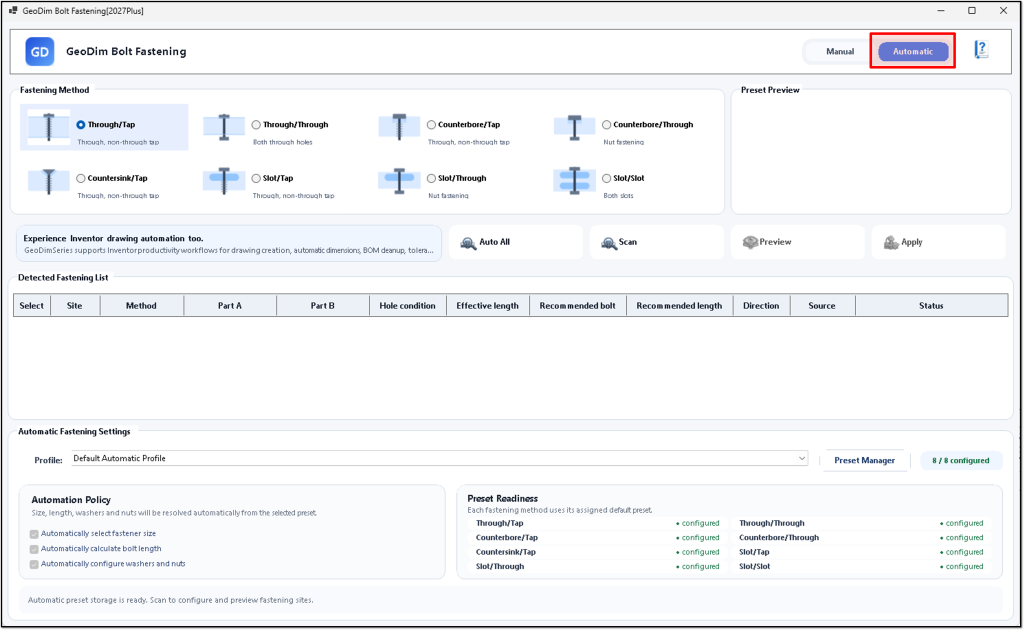
GeoDim Bolt Fastening is designed to turn repetitive fastening setup into a clear scan, select, preview, and apply workflow inside Inventor assemblies.
Inspect assembly geometry for fastening opportunities.
Identify connection locations before parts are applied.
Choose suitable fastening components for the detected connection.
Review the proposed fasteners before committing changes.
Place the selected fasteners into the assembly workflow.
Use Inventor Content Center components where applicable.
Support more than one fastening standard.
SCREENSHOTS
Select a screenshot to view the full interface.
SEE IT IN ACTION
DOWNLOAD
The download link for this add-in is coming soon.